





If a few years ago creating a location on Google maps was quite simple, now many store owners and company directors have to shake their heads in frustration: After creating the address themselves, waiting for a month but not seeing the verification code, or just holding the phone to record a video of the sign and send it for 15 minutes, they immediately receive a red notice. “Your business profile has been suspended”.
Meanwhile, customers today, before going to the place to buy goods or sign contracts, have the habit of opening their phones and typing the company name into Google Maps to find directions and read reviews. A business that doesn't have a clear location pin on the map or is flagged by a competitor as having an incorrect address will lose dozens of customers in the immediate area every month.
This article is by the team of Local SEO experts at Bao Son Media & Trading Co., Ltd. will guide you step by step in preparing your documents Put your business address on Google Maps succeed the first time, and also share how to handle when the location is locked or not displayed on the map.
- The approval mechanism in Vietnam has completely changed: Google has almost abandoned the method of sending postal mail (Postcard) and limited sending SMS codes. The mandatory verification method for 90% of businesses today is Live video recording at location (Live Video Verification) Combine and compare business licenses.
- Information Consistency Principle (NAP): The business name, Address and Phone Number declared on Google Business Profile must match the actual sign and footer on the official website.
- 100% official administration via company Gmail: Absolutely do not use junk Gmail accounts or assign the highest owner (Primary Owner) to floating service parties to avoid the risk of having the map stolen or changing the phone number later.
Why is it that when you put your own company address on Google Maps, it is often rejected or suspended immediately?
Every week, the technical department of Bao Son Media received dozens of suspended Google Business Profiles “Processing” for weeks at a time or locked permanently. Through practical review, 95% of the causes come from the following four very common errors:
Wrong policy name
Many shop owners instead of putting the correct name on the sign “Minh Tam Furniture” again set to “Minh Tam Furniture – Cheap All-Inclusive Kitchen Cabinet Factory in Hanoi”. Google's AI system detects deviations from the actual sign and immediately locks the profile.
Duplicate coordinates
An office building has hundreds of companies registering the same number. If you don't know how to pin the coordinates and record video from the building nameplate to the company nameplate in front of the room door, Google will mark it as a duplicate address.
Video recording error
Video recording is shaky, cropped, using a Wi-Fi network with broken connection when moving outside on the street, or only filming the facade without proving the right to unlock the store or counter inside.
Low reliability
Just creating a brand new Gmail account with no activity history or using an account that has previously been penalized for spam to create a location will be blocked by Google's automatic filter right from the step of sending the request.
Instructions on how to put your business address on Google Maps in the most accurate five steps
If your company, store or warehouse has a physical address and a fixed sign, you can completely follow the 5-step process that Bao Son technicians are applying below:
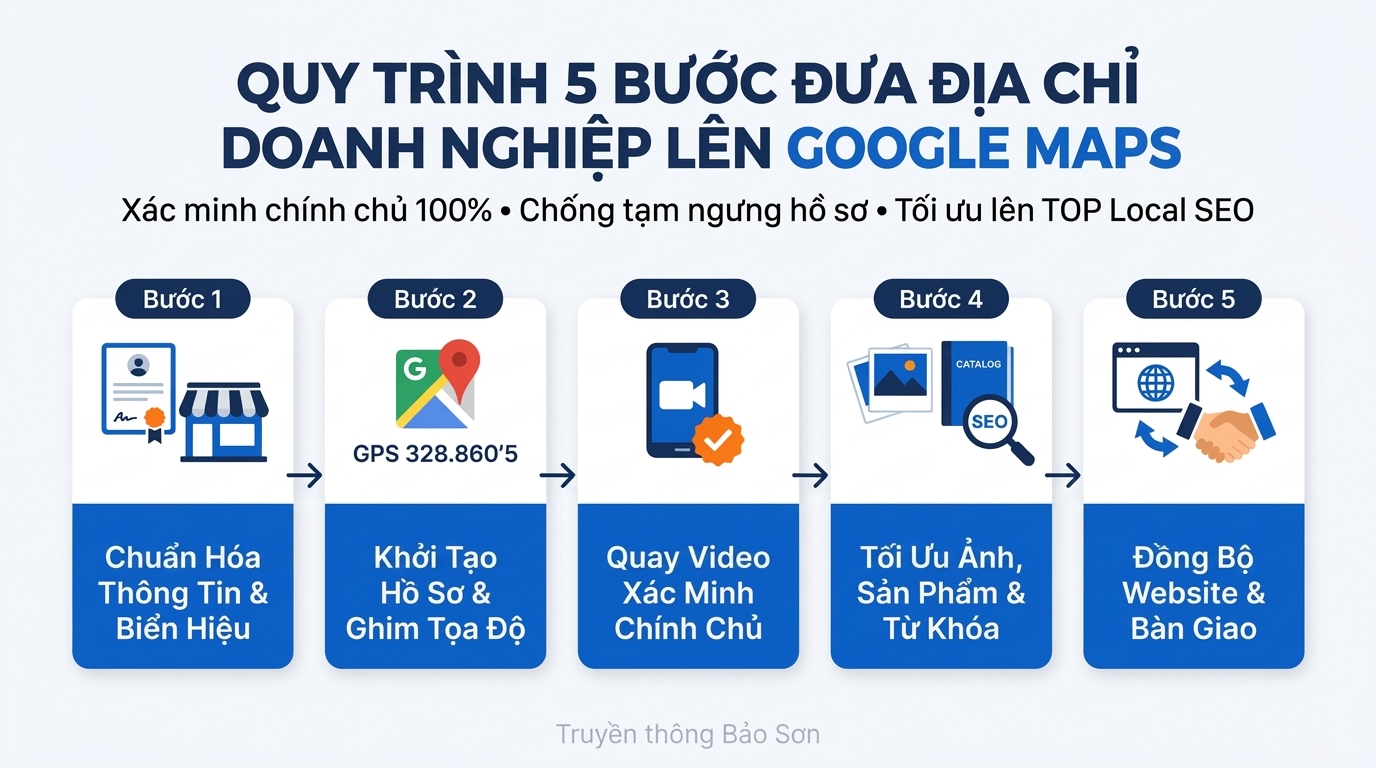
Step one: Prepare a set of field documents and a reputable Gmail account
Before clicking create location on your computer, carefully check 3 factors at your office or store (you can also see a detailed list in this article). How to quickly put your store on Google Maps, what do you need to prepare?):
- Fixed signs: Must be a wall-mounted sign or copper sign in front of the office door (do not use temporary printed paper banners) clearly stating the Business Name, Address and Phone Number.
- Documents proving legal address: Prepare a photocopy of your Business Registration License, electricity/water/Internet bill bearing the company's name at that correct address for comparison when Google requests.
- Admin account: You should use Gmail for a long time (Local Guide level 4 or higher is better) or authenticated company domain email on the website's Google Search Console.
Step two: Create a profile on Google Business Profile and pin the correct coordinates
- Visit the official admin page at
business.google.comand press Manage now. - Enter Business name (capitalize the first letter, correct for the sign) and choose the correct one Main business categories closest to your industry (e.g.: Website design company, Furniture store, Dental clinic).
- Select "Have" In the add location section customers can visit, then enter the exact House Number, Street Name, Ward/Commune, District/District, Province/City.
- Extremely important note when pulling the red pin: When the map appears, turn on Satellite view and drag the red pin to place it exactly on your roof/storefront. Misaligning the pin to the other side of the street is a common reason why verification videos are missed due to incorrect GPS coordinates.
Step three: How to record a live verification video that is approved within 24 hours
When it comes to the verification step, open the browser on your mobile phone (with GPS positioning enabled and using the network Stable 4G/5G instead of Wi-Fi so you don't lose your network when you step out on the street). Video needs to be recorded seamlessly for approx 60 to 90 seconds in sequence of 3 scenes:
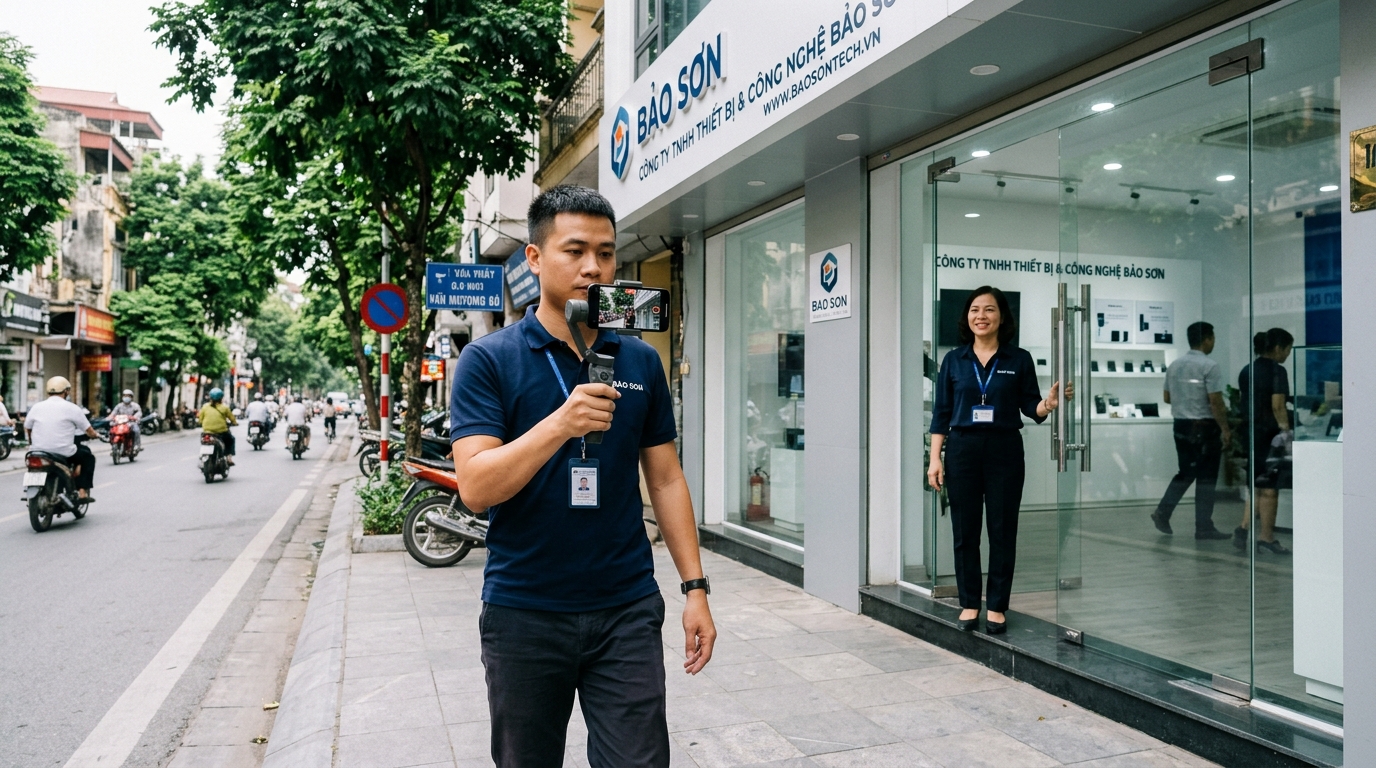
- Scene 1 (first 15 seconds — Verify surrounding location): Standing on the sidewalk, turn the street/alley name sign, the house number next door or the store opposite so that the system can compare it with Street View data.
- Scene 2 (mid 30 seconds — Verify sign): Walk closer to the front of the company, pan the camera clearly at the main sign with the business name and house number.
- Scene 3 (last 30 seconds — Proving management authority): Step inside the office/store, turn to the front desk, display products, business license placed on the table or use the key to open the door/open the sales software. Absolute Avoid filming close-ups of people's faces or sensitive personal information (citizen identification card, bank card) because Google's privacy policy will automatically reject the video.
Step four: Complete images, product categories and website synchronization
After receiving the notification “Your profile has been verified”, don't stop yet. Many business owners wonder Why doesn't the business appear on Google Maps? whether verification has been completed, or There is Google Maps but few calls — the reason is that the records are empty and not reliable enough.
You need a minimum upload 10 – 15 actual photos (wide-angle facade photo, staff photo, product/service photo), fill in the opening hours, write a 750-character introduction containing industry keywords and embed that Google Maps map into the Contact page above business website your.
Warning about risks when hiring a cheap Google Maps creation service of 150,000 VND - 200,000 VND online
Currently, on social networking groups, there are many individuals accepting to make Google Maps for only 150,000 VND - 200,000 VND. You need to be very alert: Most of these parties use tricks to temporarily intervene or use virtual accounts in bulk to create pins. The consequence is that after only 2-4 weeks, when Google periodically scans, your location will be completely erased and the real address will be blacklisted. More dangerously, many people hold hidden administrative rights, waiting for your company's Map to have many 5-star reviews and many visitors, then they silently Change the phone number on the Map to your opponent's number or demand ransom.

Immediately receive the Website SEO Health Check Report, list of potential keywords & White Hat Organic Traffic growth roadmap from expert Bao Son.
Service price list of bringing businesses to Google Maps & verifying ownership at Bao Son
Frankly speaking, if your store is located right on a main street, the sign is clear and you have time to record a video yourself according to the instructions above, Bao Son recommends that you do it yourself first to save costs. However, if you are too busy, the office is located in a building/alley that is difficult to verify, or your old profile has been temporarily locked by Google, you can refer to service to put businesses on Google Maps in Hanoi and the whole country of Bao Son Media with the following 3 transparent packages:
| Service Package | All-Inclusive Cost | Specific Implementation Items | Warranty Period & Commitment |
|---|---|---|---|
|
📍 Standard Initialization & Verification Package For new stores/companies |
800,000 VND – 1,200,000 VND / location |
✔ Create a Google Business Profile profile with NAP information. ✔ Instructions & processing for 100% genuine owner verification. ✔ Optimize industry categories, SEO standard descriptions & 15 Geotag images. ✔ Hand over full rights to the Primary Owner of the customer's Gmail. |
Completed in 2 – 5 days. Location warranty 6 months. |
|
🔓 Map Unlock & Appeal Package Save suspended/hijacked Map |
1,200,000 VND – 2,000,000 VND / location |
✔ Check the reasons why Google suspended or disabled. ✔ Standardize legal documents, business licenses & signs. ✔ Prepare an in-depth appeal working directly with the Google support team. ✔ Restore the business's old 5-star review history intact. |
Internal processing 3 – 7 working days. Fees will only be charged when unlocked successfully. |
|
🚀 TOP 3 Local Maps Optimal Package (Increase the number of customers calling directly) |
From 2,500,000 VND (According to keyword competition) |
✔ Includes all initial creation and owner verification items. ✔ Synchronize LocalBusiness Schema to the website & build a social network Entity system. ✔ Update Product/Service categories and posts periodically on the Map. ✔ Push the business location into the first 3 locations frame (Local 3-Pack) when customers search. |
Go to TOP later 3 – 6 weeks. Warranty for long-term stability. |
Answers to frequently asked questions when posting a business address on Google Maps (FAQ)
It can still be created if you have a sign posted at the actual address and can prove the goods transaction activities there. In case you only provide on-site services to customers (such as refrigeration repair, moving services, industrial cleaning) and do not pick up customers at home, Bao Son technicians will configure the profile in the form Service-area Business to both display on Google properly and hide your private apartment room number.
Absolute You should not delete the old Map and recreate it because you will lose the entire life of your profile and 5-star reviews from old customers. The most accurate way is to update the new address on the website and fanpage first, then change the address in the Google Business Profile administration page and record a video verification again at the new office.
100% ownership belongs to you. As soon as the location is publicly displayed on the map, Bao Son will transfer rights Primary Owner to your own Gmail address and show you how to protect your profile so that no one can arbitrarily suggest editing the company's name or phone number.
When you discover strange accounts simultaneously giving untrue 1-star reviews in a short period of time, you should not use harsh words to argue back in the comments section. Please respond politely, confirm that the name/phone number is not in the company's customer system, and submit a policy violation report Conflict of interest / Spam in Google's review management tool to request removal.