




You have just deposited 10 or even 20 million VND into your Google Ads account, selected the correct set of keywords and are full of hope waiting for the phone to ring. But after just a week, your account balance is depleted and you haven't received a single call or text message. 90% of business owners will now blame the advertising campaign, saying that Google Ads is ineffective or "click-jacked". But in reality, the root cause lies in the "front" - your website. So exactly What does a website need to prepare before running Google ads? to not throw money out the window?
“Google Ads has only one mission: Bringing people with real needs to your doorstep. Whether customers decide to step in, trust the product and withdraw their wallet depends 100% on how well your website has been designed, optimized for speed and arranged with convincing content.
If you hastily press the button to activate the campaign when the website is not up to standard, you are like hiring a bus to transport thousands of people to visit a store that has not been cleaned, the goods are messy, the employees are absent and the doors are stuck. Here it is Checklist of 10 Golden Pillars You must check and complete before paying even a single penny to Google.
1. Prerequisite Group: Strictly Comply with Google Ads Policy
Before dreaming of thousands of dollars in orders, the first thing is that your ad must be approved by Google approve and the account is not permanently locked. Many businesses that have just deposited money have had their accounts suspended for violating automated landing page moderation policies.
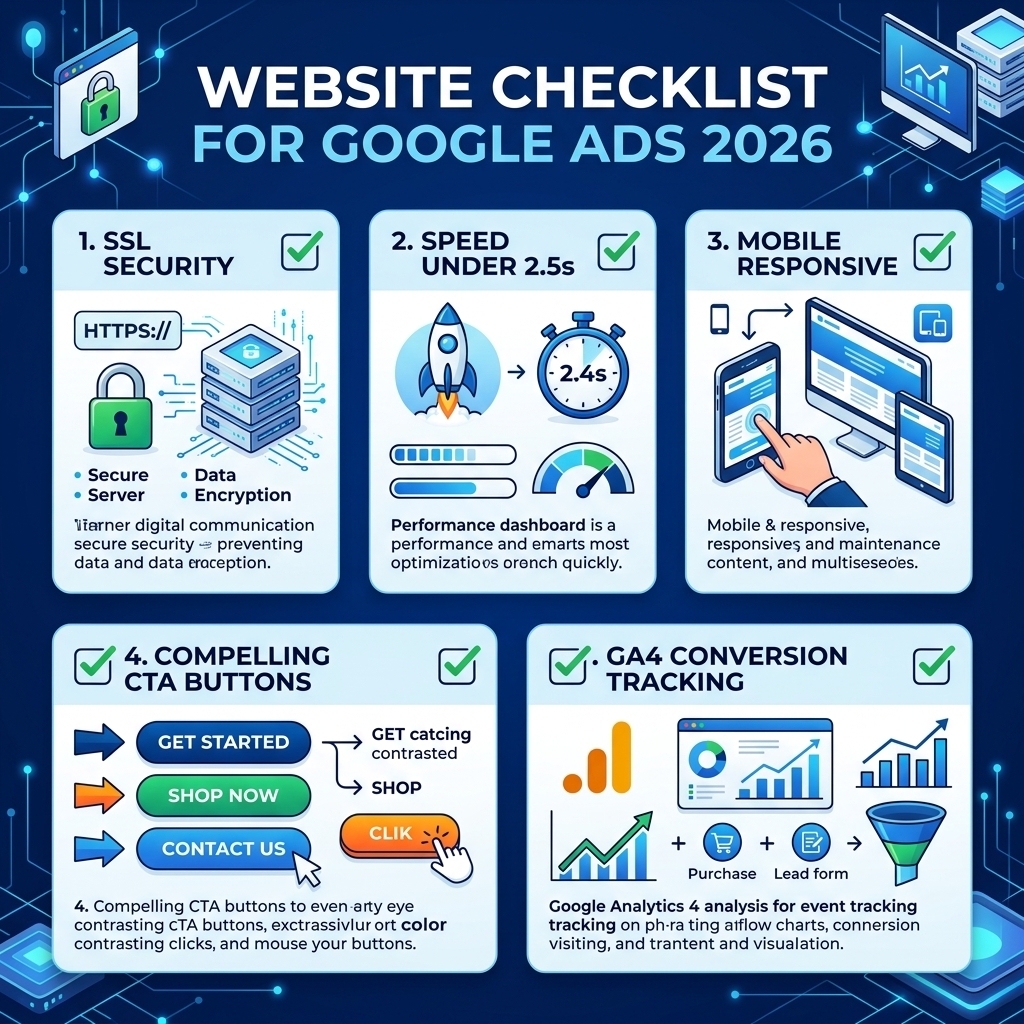
1.1. SSL security certificate (HTTPS) – Mandatory travel ticket
A website uses an insecure protocol http:// will receive a strong red warning from Chrome, Edge or Safari browsers: “Your connection is not private” or “The website is not safe”. More than 85% of users will immediately turn around and press the exit button as soon as they see this message.
Especially for Google Ads, the censorship bot will automatically reject ads pointing to unsecured websites for reasons of protecting user information security. Therefore, the equipment SSL security certificate (HTTPS green padlock) is the first prerequisite you must enable.
1.2. Transparent business information (Avoid Misrepresentation errors)
A widely known error that causes new Google Ads accounts in Vietnam to be suspended is an error Misrepresentation. Google scans your website for evidence that you are a real-life organization/business. Your website must have:
- Name of company or business household: Matches Google Ads account billing information.
- Clear office/store address: Can be searched on Google Maps, including house number, street name, district.
- Main landline or mobile phone number: Always be in a contact state when customers call.
- Business email by domain name: Demonstrates more professional reputation than regular free gmail mailboxes.
1.3. Set of three mandatory legal policy pages at the footer (Footer)
In the Footer area of the website, you are required to publicly publish the following 3 static pages to meet both Vietnam E-commerce Law and Google's International Advertising Policy:
- Privacy Policy: Commitment to how to collect, store and protect customers' personal data.
- Terms and conditions of use (Terms of Service): Clearly define the rights and responsibilities of customers when accessing the service.
- Payment, delivery & refund/exchange policy: Transparent description of payment methods and complaint handling procedures.
2. Technical Factors & Site Experience Speed (Core Web Vitals)
Many people mistakenly think website speed is only for SEO. In fact in Google Ads, Landing Page Experience is one of the three main constituent pillars Quality Score. The higher your quality score, the cheaper your bid per click (CPC) and the higher your display rank.

2.1. Page loading speed under 2.5 seconds – Determinant of CPC & Bounce Rate
In the age of 5G networks and hustle and bustle of life, online customers' patience only lasts a split second. According to Google's consumer behavior research report:
Technical solutions to be implemented:
- Convert all image formats to compression standards New generation WebP, reducing the capacity by 70% without breaking the definition.
- Enable server-level caching and content delivery network (Cloudflare CDN).
- Upgrade your hosting platform High speed Cloud NVMe Hosting for smooth data processing and database queries in a snap.
2.2. Mobile-First standard interface (Where accounts for 80%+ of Ads budget)
According to analytical data from hundreds of Google Ads accounts that Bao Son is managing, there are up to 80% – 90% of search traffic coming from smart mobile devices (Smartphone). Even though a website appears sparkling on a desktop computer, when viewed on a phone, the frame is broken, the text is tiny, or the menu is misaligned, causing customers to leave immediately.

Mobile standardization criteria:
- Thumb Zone: Important buttons such as "Call now", "Message Zalo", "Buy" must be located in a convenient position for the user to hold the phone with one hand.
- Touch Target Size: Buttons must have a minimum height of 48px, not placed too close together to avoid accidentally clicking.
- Say no to Popups that obscure the screen: Avoid self-jumping advertising banners that take up the entire phone screen, making it impossible for customers to find the close button (Google especially penalizes this behavior).
2.3. Server stability (Uptime 99.99%)
Imagine you are running a peak season flash-sale campaign with a budget of 2 million VND/day. Suddenly the cheap hosting server was overloaded and crashed (Error 500 / 502 Bad Gateway) for 4 hours in the evening. Ads are still distributed, money is still deducted, but customers only receive blank pages. Make sure your website runs on an infrastructure with a 99.99% Uptime commitment before spending money running Ads.
3. Group of Content Elements & Closing Art on Landing Page (Landing Page CRO)
The big reason advertising campaigns fail miserably is not because of lack of clicks, but because Landing pages don't know how to sell. When visitors land on your page, you only have 3 to 5 seconds to convince them to stay.
3.1. The vital principle: Message Match
A classic mistake that many business owners make when... Run Google Ads yourself or hire a management unit Lack of experience is: Point all advertising keywords to the Home Page.
Customers type keywords “sales web design quote”, your ad copy says “Web design sales package 30% off”. But when customers click, you lead them to the Home page - where there are all kinds of company news, recruitment images, board of directors introduction... Customers are confused because they can't find what they want and they will leave in 3 seconds!
3.2. Persuasive article structure according to the PAS formula (Problem – Agitate – Solve)
If your website falls into disrepair There are many viewers but very few contacts, you need to restructure your landing page content according to the behavioral psychology formula:
- Problem (Highlights pain): Hitting the concerns and difficulties that customers are looking for ways to solve (for example: losing money on useless advertising, old and outdated website, website not reaching the Top...).
- Agitate (Deep stirring of consequences): Analyze what will happen if they delay the solution (competitor surpasses, loses customers to competitors, operating costs balloon...).
- Solve (Different Solution): Offer your product/service as the key to solving the problem, emphasizing your Core Competitive Advantage (USP).
3.3. Social Proof & Trust Signals
Internet shoppers always have a defensive and skeptical mentality. To break this barrier, landing pages need irrefutable trust guarantees:
- Images of the actual completed project: Real photos, video interviews with customers instead of just using illustrations downloaded from the internet.
- Testimonials: Quote specific customer feedback with full name, title and representative image.
- Reputable certification: Google Ads professional certification, Ministry of Industry and Trade logo, certificate of merit or professional award.
3.4. Transparent price list & Refund commitment policy
One of the biggest barriers that makes customers hesitate is the fear of being "cheated" on the price. Posting a clear service price list for each package with a golden commitment (such as Bao Son's 100% refund policy if not satisfactory) will increase the closing rate by 2.5 times.

Google Ads experts at Bao Son support campaign review, quality optimization & realistic Google Ads budget planning.
4. Arrange a Multi-Channel, Multi-Touch Call to Action (CTA).
You can't expect customers to fumble to find your phone number in a hidden corner of the footer. A high-converting landing page needs to maximize every avenue for customers to easily reach you.
4.1. Sticky Zalo Hotline & Chat Call Buttons (Sticky Action Buttons)
On both computers and mobile phones, the Floating CTA bar includes: Hotline Call Button tel:... and Direct Zalo Messaging button must always be fixed at the corner of the screen. Whether customers are scrolling at the beginning, middle, or end of the article, with just a tap of their finger they can instantly connect with a consultant.
4.2. Streamline consulting registration form (Maximum 2 - 3 fields)
Each input box you require customers to fill in (such as home address, ID card number, income level...) will 15% decrease in form completion rate. Keep the form as lean as possible:
- Your full name
- Phone number / Zalo number to receive consultation
- Need or short message (optional)
After getting the phone number, your sales staff will easily call for care and get more detailed information later.
5. Measurement Infrastructure & Conversion Tracking Code Settings (Tracking & Analytics)
Running Google Ads without installing a conversion measurement system is like driving a car on the highway blindfolded. You won't be able to know exactly which keywords are bringing in customers, which ads are wasting money, and which campaigns need to increase their budget.
5.1. Install Google Tag Manager (GTM) and event-standard GA4
Required to implement the Google Tag Manager (GTM) container into the tag <head> and <body> of website. Through GTM, you can easily tag Google Analytics 4 (GA4) and set up tracking of key events:
- Click to Call event.
- Click event to open Zalo chat frame (Click to Chat Zalo).
- Successful form submission event (Form Submission / Thank You Page).
- Scroll Depth event over 75% (Scroll Depth).
5.2. Set up Enhanced Conversions (Google Ads Enhanced Conversions)
Google Ads' Smart Bidding AI algorithms (like Maximize Conversions, Target CPA Bidding) need actual conversion data for Machine Learning. When you enable the feature Enhanced Conversions, Google will match securely hashed (Hash SHA-256) customer data, increasing conversion reporting accuracy by 15% – 20% in the era of third-party cookie blocking.
5.3. Remarketing tag settings (Remarketing Tag)
95% of customers who click on a Google ad for the first time will not buy immediately but need time to consider and compare prices. By adding a remarketing tag (Google Ads Remarketing Tag), you can group people who have visited your website into a separate audience file and display a reminder banner to pursue them on YouTube or electronic newspapers at a cost 50% cheaper than attracting new customers.
6. Checklist of 15 Criteria for "Website Health" Before Pressing the Run Ads Button
Let's compare your website with the summary of 15 actual criteria below. If your website does not meet at least 12/15 criteria, our sincere advice is: Please pause your advertising campaign to complete first:
7. 5 Deadly Mistakes That Make Google Ads Campaigns Useless
From experience deploying and "fighting fires" for hundreds of customers' advertising accounts, Bao Son Ads summarizes 5 common mistakes that you need to avoid:
- Mistake 1: Pointing the advertising link directly to the Home page instead of a specialized Landing page. Customers are overwhelmed by tons of irrelevant information and quickly hit the back button.
- Mistake 2: Enabling ads when the website has not installed SSL (HTTPS). As soon as the customer clicks on it, they see a red danger warning from the browser, money has just been lost, and the brand has a bad reputation.
- Mistake 3: Landing page is too heavy, takes forever to load on 4G network. You pay per click, but customers don't have the patience to wait 3 seconds to see your product.
- Mistake 4: The form to fill out is as long as a semester exam. Forcing customers to fill in too much unnecessary information makes them frustrated and give up right at the final step.
- Mistake 5: Not attaching conversion tracking code. Not knowing which ads generate orders leads to blind allocation of budget based on emotions.
8. Frequently Asked Questions When Preparing a Website to Run Google Ads (FAQs)
Q1: Should a brand new website just be designed run Google Ads right away?
Reply: Can run immediately! Unlike SEO, which takes 3 to 6 months for search engines to rank, Google Ads can bring in customers on the first day. However, the new website is required to fully complete product content, contact information and install conversion measurement codes before depositing money.
Q2: Do small budget businesses (under 5 million/month) need to design their own Landing Page?
Reply: The smaller your budget, the more you have to optimize every penny! A specialized Landing Page can increase the conversion rate from 2% to 6% - 8%, which means that with the same 5 million you can receive 3 times the number of calls compared to pointing a link to a sketchy website.
Q3: Why is my ad approved by Google but no one calls or leaves information?
Reply: This is a 100% sign of a landing page with conversion errors (CRO): Either the selling price/policy is not competitive enough, or the content has not built trust (lack of real images, lack of reviews), or the call/Zalo buttons are hidden so users don't know how to contact.
Q4: How severely does a low Landing Page Quality Score affect bids?
Reply: Quality score is calculated on a 10-point scale. If your score is only 3/10 or 4/10 due to a slow website and mismatched content, you will have to pay a CPC bid 50% to 400% higher than your competitors to be in the same position displayed on search results.
Q5: Can I ask the Bao Son Ads team to check and evaluate my website for free before running Ads?
Reply: Absolutely yes! Bao Son always supports the program "100% Free Website Health Audit & Assessment". Our team of technicians will directly measure speed, review policy errors and propose specific landing page optimization solutions for your industry.
9. Conclusion & Website Audit Service, Running Google Ads in Real Battle at Bao Son
The investigation What does a website need to prepare before running Google ads? is the step of digging the foundation to build a house. With a solid foundation, the new house is sturdy against the storms of the market. Don't rush to pour tens of millions of budget money into Google when your "front" is not ready to welcome customers.
If you are preparing to launch an advertising campaign or are running one but the costs are too high without orders, let it go Bao Son Communications Accompany you to build a comprehensive marketing solution to breakthrough sales.
💡 Solutions to prevent customer loss from Advertising: In order for every quote form filling from a Google Ads campaign to automatically go straight to the management software with a UTM/GCLID campaign code and a Zalo bell alerting Sales within 3 seconds, businesses should deploy it immediately. Service connecting potential customers with CRM on the website at Bao Son Communications.