





The company has just been established or just finished creating a website, and the boss immediately assigned a task that sounds very simple: “I find a way create free corporate email has a tail @tencongty.vn Let the sales department and accounting use it to send quotes!. However, when starting to learn, those who work in administration, accounting or non-IT business owners immediately feel confused by a series of technical terms such as MX records, TXT authentication, SMTP server or registration pages all in English.
Do not worry! You don't need to know programming or hire your own IT to create a mailbox with your company's name. In this article, the technical team at Bao Son Media & Trading Co., Ltd. will guide you step by step through practical operations in the most common, easy-to-understand language to create your own email address @tencongty.com Completely free only in 15 minutes.
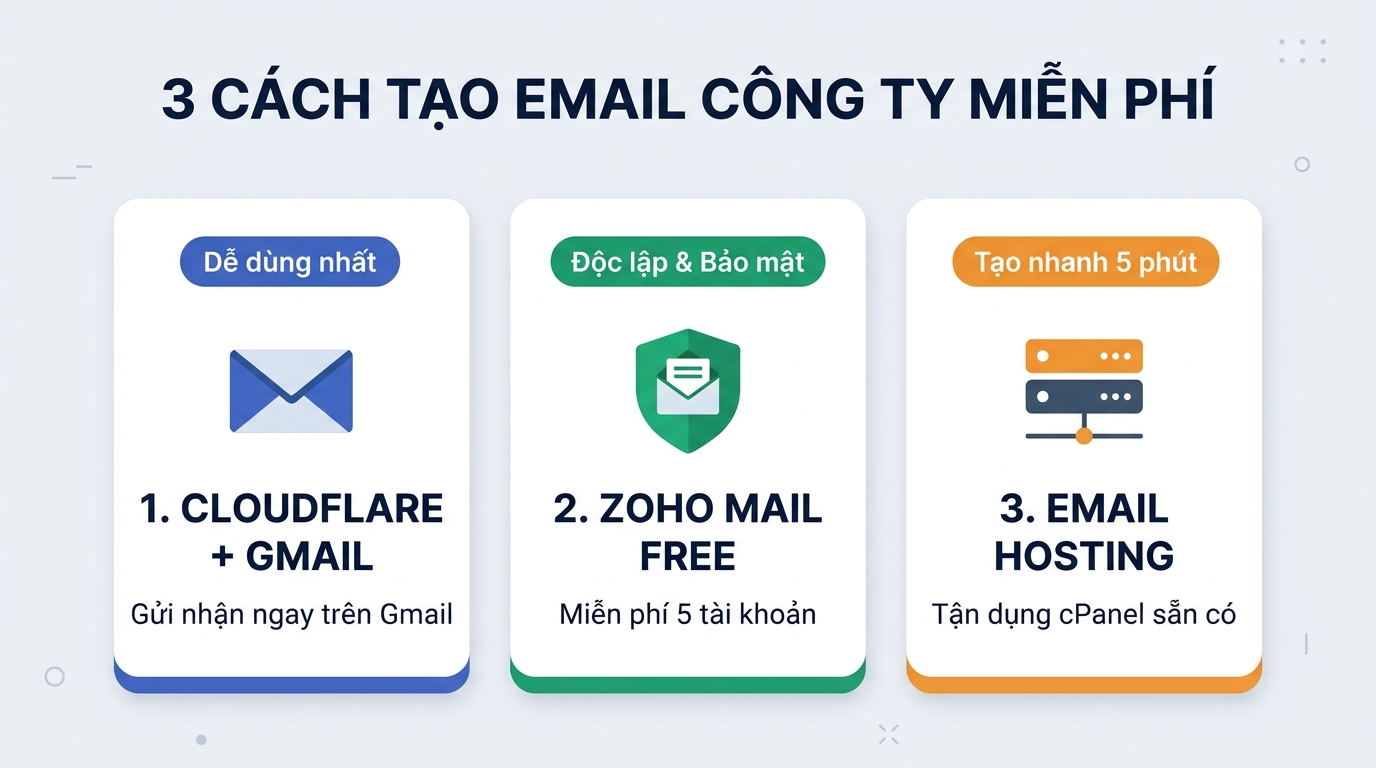
- Method 1 — Merge company emails into personal Gmail (Cloudflare + Gmail): Recommended if you just have one 1 – 3 people and want to receive/reply to tail mail
@tencongty.comright inside the familiar Gmail application every day without having to install new software. - Method 2 — Create on Zoho Mail (Forever Free Plan): Recommended if the company has words 2 – 5 employees and want each person to have an independent email account (
5GB/người), has its own employee admin page. - Method 3 — Create directly on Website Hosting (cPanel / DirectAdmin): Recommended if company hired Hosting to run the website and want to quickly create 5 - 10 internal email addresses in 5 minutes without registering a third-party account.
What is the only thing you need to prepare before creating a free corporate email?
Different from creating an account @gmail.com It only takes 2 minutes for individuals to fill in their full name and company email address tenban@tencongty.com required to be attached to one private domain name (Domain) owned by your business.
Therefore, before starting one of the 3 ways below, you only need to prepare exactly one information:
- Account to log in to the DNS administration page of the company domain: This is where your company purchased the domain name (e.g. Bao Son, Mat Bao, Nhan Hoa, PA Vietnam, Tenten or Cloudflare).
- Tips for non-technical people: If your company previously hired a party to design a full-service website and they were holding the domain name account, you just need to send Zalo a short message to that party's technician: “Please give me the link and password to the company's domain name DNS management page to configure email!”.
Three easiest ways to create your own free company email (with detailed steps)
Depending on your company's usage habits, you just need to choose one of three ways below to do it:
Method 1: Create a free corporate email but send and receive right on personal Gmail (Easiest to use)
Many business owners shared with Bao Son that they are afraid to use free corporate email because they have to install a strange app, the interface is difficult to see, or they are afraid of forgetting to check emails sent by customers. Combined solution Cloudflare Email Routing (100% free) same features “Send mail as” (Send mail as) of Gmail will completely solve this problem.
Once installed, the customer sends an email kinhdoanh@tencongty.com then the letter will automatically poured straight into the mailbox @gmail.com individual on your phone. And when you click Reply, the customer still sees the sender kinhdoanh@tencongty.com extremely professional.
Sign up for a free account at cloudflare.com, add your company domain name, then go to section Email → Email Routing and press Enable so that the system automatically adds a mail receipt record.
At section Custom addresses, you type the address you want to create (for example: giamdoc@tencongty.com) and select the box to receive the mail as the destination address @gmail.com your personal.
Go to section Security of your personal Google account, turn on 2-Step Verification and create one App Password contains 16 characters.
Open Gmail on your computer → Settings → Accounts and Import → Add another email address. Enter giamdoc@tencongty.com, fill in SMTP smtp.gmail.com (gate 587) and paste the 16-character password you just created in Step 3 and you're done!
Method 2: Create 5 permanent free corporate email accounts on Zoho Mail
If your company has from 2 to 5 employees (for example: Director, Accounting, Sales, Administration, Engineering) and wants each person to have a separate independent mailbox and not merged into personal Gmail, then the package Zoho Mail Forever Free is the current priority choice.
- Tips for finding the right place to sign up for a free package: When entering the Zoho Mail price list page (
zoho.com/mail/zohomail-pricing.html), do not click on the paid packages above Scroll down to the bottom. In the lower right corner there will be a small text box “Forever Free Plan” (Free for 5 users, each5GB) → Press Sign Up Now. - Verify company domain name: Enter your company's domain name. Zoho will provide you with a short code
zoho-verification=zb123456.... You just need to copy this code and paste it into the section TXT record in the domain management page and then click Verify. - Point to the mail receiving path (MX Record): Add 3 lines of Zoho standard MX records to the domain DNS table:
mx.zohomail.com(Priority:10)mx2.zohomail.com(Priority:20)mx3.zohomail.com(Priority:50)
- Create accounts for employees: Go to section Users in the Zoho dashboard to create up to 5 email addresses for your company's employees and download the application Zoho Mail on your phone to receive instant new mail notifications.

Method 3: Create a free corporate email right on your existing Website Hosting (Fast implementation)
An interesting fact is that more than 80% of small businesses hire Hosting to run their company websites Comes with the feature to create Email by domain name for free inside the control panel cPanel or DirectAdmin without even knowing it!
- Step 1: Log in to the company's Hosting administration page (usually with a link of the form
tencongty.com:2083for cPanel). - Step 2: Find the area E-mail and click on the icon Email Accounts.
- Step 3: Press the button + Create in the right corner. At the box Username, you enter the name of the mailbox you want to create (for example:
ketoan,info,tuyendung), set a password and choose storage capacity (should be limited to approx1GB – 2GBper person to avoid filling up the website's hard drive). - Step 4: Press Check Email to open the Webmail interface to send and receive mail right in the browser, or click Connect Devices to get settings into the software Microsoft Outlook on computer.
Comparison table of 3 ways to create a free corporate email: Which is the best option for you?
So that you don't have to wonder, the table below summarizes the actual advantages and disadvantages of all three options after Bao Son technical team has directly installed and verified for hundreds of customers:
| Comparison criteria | 1. Cloudflare + Personal Gmail | 2. Zoho Mail Forever Free | 3. Email on Website Hosting |
|---|---|---|---|
| Number of accounts created | Up to 200 forwarding addresses Flexible | Max 5 accounts independence Most stable | Depending on Hosting package (Usually 5 - 20 accounts) |
| User interface | Serve immediately Personal Gmail familiar | Zoho Webmail or separate Zoho Mail App | Roundcube Webmail or install it Outlook |
| Storage capacity | Eat along 15GB personal Gmail for free |
5GB / người (Do not combine between users) |
Shares hard drive with Website source code |
| Rate of mail entering Inbox | Pretty good (85% – 90%) thanks to going through SMTP Gmail | Good (90% – 95%) if enough SPF & DKIM are installed | Average (60% – 75%, easy to get stuck with black IP) |
| Biggest limitation | Reveal the original Gmail address in the line “via gmail.com” if sent to some strict system | Free version Block IMAP/POP3 connections (cannot install into Outlook computer) | Fast Hosting slows down the website; Letters sent to partners using Gmail are often dropped Spam |

Bao Son system engineers support infrastructure testing and transfer all Website/Email data safely in 30 minutes without interruption.
Four common mistakes cause people who create their own free corporate email not to receive messages or get sent to Spam
During the process of providing free technical support to businesses, Bao Son engineers found that for every 10 people who follow instructions online, up to 7-8 people encounter the following situation: It's okay to send an email, but if the customer replies, it's lost, or Emails sent to customers always end up in the Spam folder.. The cause lies in the following 4 errors:
- Add new MX record but forget to delete old MX record: Each domain name is only allowed to point to a single mail receiving server system. If you keep both Hosting's default MX records and Zoho/Cloudflare's MX records, incoming customer messages will be "lost", sometimes received and sometimes not.
- Only set the mail receiving direction (MX) but forgot the anti-tampering trio SPF, DKIM, DMARC: From 2024 - 2026, Google and Microsoft have tightened security filters. A corporate domain name does not have a digital signature
DKIMand recordsSPFValid documents will be marked with a red warning or pushed straight into the recipient's trash. - Use a regular Gmail login password instead of an App Password: When configuring sending mail via SMTP Gmail in Method 1, if you enter your Gmail login password every day, the system will report an error refusing to connect. You are required to create a 16 character code in the section Application password.
- Assign self-managed accounts to sales staff without Admin rights: When creating a patchwork free email, if an employee quits and arbitrarily changes the password, the company will lose the entire quote history and customer list in that mailbox.
When should a company upgrade to professional Business Email at Bao Son?
Plans create free corporate email The above is a great solution in the first 1 - 3 months of starting a business, when your new company only needs to print an email address on a business card (Namecard) or register for basic administrative procedures.
However, as soon as the company starts running ads, sending daily quotes, contracts and electronic invoices to partners, try doing a little economic calculation: Just one email sending a quote falls into the Spam section of a large customer, causing a contract of 20 - 50 million VND to be lost, a loss that is dozens of times greater than the cost of renting a copyrighted email system for a whole year!

In Bao Son Business Email Service, we have designed 2 extremely affordable upgrade paths so you can forget all your technical worries:
- Solution 1 — Bao Son Private Email Server (Optimize costs for companies with many employees): The cost is only a few tens of thousands of VND/month but has full Super Admin rights to revoke/allocate accounts when personnel changes, smooth installation on Microsoft Outlook and phone, commitment to clean IP directly to Inbox.
- Solution 2 — Gmail Business Package (genuine Google Workspace) just words
145.000đ/user/tháng: Directly use Google's official Gmail interface and server infrastructure, included30GB – 2TBGoogle Drive storage, Google Meet online meetings and anti-phishing AI security. In particular, Bao Son supports configuration Email Alias (create 30 additional department addresses for free on 1 account) and solution Hybrid Helps companies save up to 50% - 60% of their annual budget.
When registering at Bao Son, you You don't have to touch any lines of DNS code yourself. Our engineers will directly install the logs correctly MX, SPF, DKIM, DMARC, synchronize all old mail from the free version to the new system within 30 minutes, sign a legal contract and issue a full red VAT invoice to the accounting department.
Frequently asked questions when creating your own free corporate email (FAQ)
Absolutely. If you follow Method 1 (Cloudflare + Gmail), you immediately use the Gmail application available on your phone as usual. If followed Method 2 (Zoho Mail), you just need to download the app Zoho Mail on App Store or CH Play. And if created above Hosting cPanel (Method 3), you can add accounts to the app Mail iPhone default or download the application Microsoft Outlook on the phone.
Absolutely. Whether your company's domain name is managed at Mat Bao, Nhan Hoa, PA Vietnam, Tenten or any other unit, Bao Son's engineering team supports DNS record configuration (MX, SPF, DKIM, DMARC) 100% free within 30 minutes, ensuring the website is operating normally without interruption for even 1 second.
Don't lose any letters. When your company grows and decides to upgrade copyrighted business email At Bao Son, technicians will use specialized data migration tools to copy 100% intact inboxes, sent messages and attachments from the old system to the new home.
Fully available. Both the Gmail, Zoho Mail and Webmail interfaces on Hosting have a built-in HTML signature designer in the Settings section. You can easily insert an image of the company logo, full name, title, contact phone number and website link to automatically display at the end of each letter sent to customers.